


Real Piano electronic keyboard
4.54.25K Reviews
App Specs
- Version
- 5.47.1
- Updated On
- License
- Free
- Downloads
- 10,000,000+
- Developer
- Kolb Apps
- Categories
- Music
- Platform
- Android, iOS
Screenshots
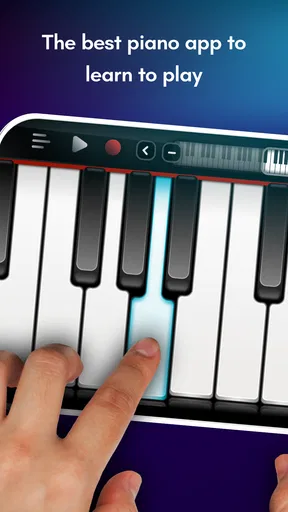
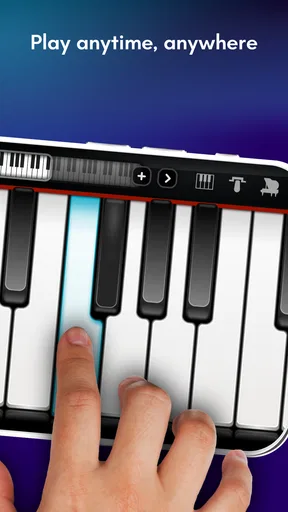
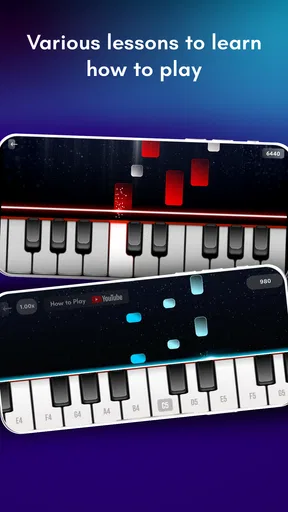
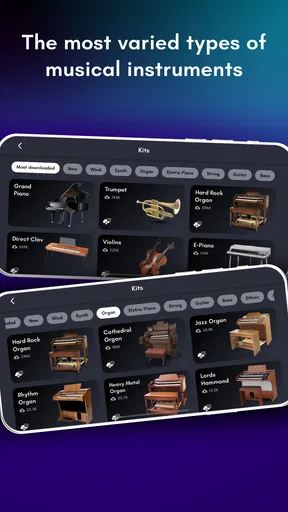
 Analysis by AppCompare
I’d treat Real Piano as a handy way to explore keyboard playing, not as a replacement for sitting at a full instrument. That distinction matters: a phone is always close by, so it can make a spare few minutes musical, but its screen can’t give your hands the room or physical feedback of piano keys. In my view, the app makes most sense if you want an approachable place to experiment, practise simple ideas, or see whether playing keyboard appeals to you before committing to more equipment.
Start with the kind of playing you want
Before choosing any mobile piano app, I’d ask what I expect to do with it. If I want casual melodies, chord experiments, or a quick way to pass time, a touchscreen keyboard is convenient. If I’m working on hand position, reading notation in depth, or building reliable technique, a phone is a compromise. The keys are displayed on glass, and the screen size shapes how many notes I can comfortably reach at once.
That makes the device itself part of the experience. A larger phone or tablet can give fingers more space, while a smaller screen may make wide chords awkward. I’d try a few simple patterns before deciding that a difficult passage is beyond me; sometimes it’s the layout, not the music. If I already own a keyboard, I’d use that for serious practice and keep a phone app for quick reminders and musical play.
Who gets the most from this pocket keyboard
Real Piano is a music game from Kolb Apps, and its appeal is the low barrier to trying a keyboard on a device you already carry. It’s free to start, rated for Everyone, and has a 4.3 average from around 141,000 ratings, with over 10 million installs. Those figures suggest broad interest, but they don’t tell me whether its touchscreen feel will suit a particular player. I’d judge that for myself with the melodies and chords I actually want to play.
It’s especially appealing to curious beginners who want to explore notes without first buying an instrument, and to more experienced players who want a casual place to sketch a tune. A realistic use is sitting on a bus or waiting for an appointment and testing a melody before it slips away. For that job, the instant access matters more than perfect piano technique. I’d keep expectations modest: a useful musical notepad is not the same thing as a structured course or a full-size keyboard.
Where it fits beside other music apps
Compared with rhythm games, a piano-style keyboard gives me more freedom to choose notes instead of simply reacting to prompts. Compared with dedicated lesson apps, it can feel more like an instrument to explore than a course with a fixed progression. And compared with a physical digital piano, it wins on portability and ease of access, while losing on key spacing and tactile response. These are different tools rather than direct substitutes, so the best choice depends on whether I want to play, follow lessons, or train technique.
There’s a practical trade-off in using a touchscreen: fingers can cover nearby notes, and the display may feel cramped during two-handed playing. I’d start with short phrases, then add a second hand only when the screen makes the notes easy to target. If my main goal is learning to read sheet music or preparing a piece accurately, I’d pair an app with a teacher, a lesson-focused resource, or a real keyboard rather than relying on a phone alone.
Worth Reading Before You Choose

Flipboard Shows What News Apps Must Do Beyond the Feed

Switching to Android Auto Means Rethinking Your Driving Routine

Google Calendar Makes a Crowded Week Easier to Manage

Ludo King Makes the Most of the Minutes Between Plans

Baby Panda World Brings Quick Play to Modern Phones, but Its Game Library Feels Busy

ESPN’s Live Game View Makes Following Close Games Easier
Try it without turning it into a commitment
The game is free, with in-app purchases ranging from $1.99 to $18.99 per item. I’d spend time with the free experience before buying anything, and check which particular addition solves a problem I’ve actually encountered. Someone who only wants occasional note exploration may have no reason to pay; someone who uses the app regularly can weigh the purchase against how much it improves that routine. It runs on Android from version 7.0, and its current version is 5.45.23.
Switching away later is straightforward if I’ve only used it for casual play: I can move to a lesson-focused app for guided study or a physical keyboard for technique without changing how I understand the notes. The main cost is habit, not a complicated setup. If I’ve built a routine around recording little ideas, I’d first make sure I know how I want to keep or revisit those ideas before changing tools. That small bit of planning makes a switch less frustrating.
Kolb Apps released it on August 13, 2012, and its long-running presence makes it easy to understand why people keep trying it: the idea is simple, and a phone is a convenient place to tap out a tune. I’d still choose by fit, not popularity. The screen is a real limitation for serious practice, and the paid items mean “free” does not necessarily cover every extra a player may want.
Ever dreamed of tickling the ivories but don't have the space for a full-sized piano? Enter the Real Piano electronic keyboard app, your pocket-sized maestro that promises to turn your smartphone into a mini music studio. I’ve been tinkering with it for a while now, and let me tell you—it’s been quite the ride.
Getting Started with Real Piano
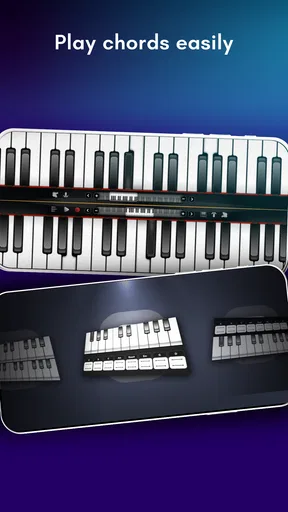
Diving into the app is like opening the lid of a grand piano. The interface is sleek and inviting, with vibrant keys that just beg to be played. Installation was a breeze, and before I knew it, I was ready to strike my first chord. The app offers a variety of keyboard instruments—think classic pianos, electric keyboards, and even an organ. Switching between them is seamless, letting you explore different sounds without missing a beat.
Features That Hit the Right Note
One of the standout features of the Real Piano app is its versatility. Whether you’re a seasoned pianist or a curious beginner, there’s something here for everyone. The app includes:
- Multi-touch support: Perfect for playing complex pieces that require more than one finger.
- Recording capabilities: Capture your masterpieces easily and listen back anytime you want.
- Metronome and pedal functions: Keep your timing precise and add that extra depth to your playing.
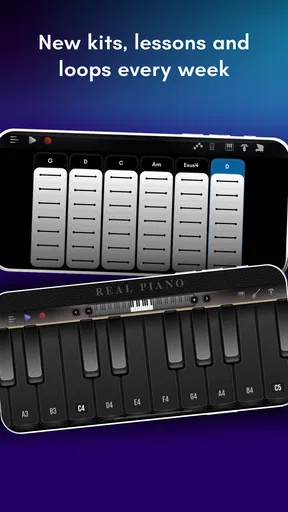
- Learning mode: A built-in tutor helps beginners with guided lessons and sheet music.
I spent a good chunk of time in learning mode, and it’s surprisingly effective. The app gently guides you through the basics, and before you know it, you’re playing simple melodies. It’s like having a music teacher right in your pocket!
Sound Quality and User Experience
Now, let’s talk about the sound. The audio quality on this app is nothing short of impressive. The notes are crisp and clear, with a richness that mimics an actual piano. I hooked my phone up to a speaker, and it was almost like having a real piano in the room. Even on its own, the sound fills up a space nicely.
As for the user experience, navigating through the app is a breeze. The interface is intuitive, and everything is where you’d expect it to be. Whether you’re adjusting the metronome or switching instruments, it’s all just a tap away.
Room for Improvement?
No app is perfect, and Real Piano is no exception. While it does a lot of things right, there are a few areas that could use some tuning. For instance, the free version is somewhat limited in features. To unlock the full potential of the app, you’ll need to upgrade to the premium version. It’s a small price to pay for such a comprehensive tool, but it’s worth noting.
Additionally, while the app is great for individuals, I found that collaboration features are a bit lacking. It would be wonderful to have options for sharing compositions directly with friends or even a community feature to connect with other aspiring musicians.
Final Thoughts
All in all, the Real Piano electronic keyboard app is a wonderful addition to any music lover’s toolkit. It’s user-friendly, sounds fantastic, and offers a plethora of features that cater to both beginners and experienced players. Whether you’re looking to brush up on your skills or just have some fun, this app provides a delightful experience.
So, if you’re ready to unleash your inner musician, give Real Piano a spin. Who knows? You might just compose the next great symphony right from your smartphone!
Pros
- Realistic sound quality enhances experience.
- Wide range of instruments and effects.
- User-friendly interface for easy navigation.
- Customizable settings for personalized play.
- Supports MIDI for advanced users.
Cons
- Ads can be disruptive during practice.
- Limited free features; in-app purchases needed.
- Requires internet for some functionalities.
- May lag on older devices.
- Interface may be too simple for pros.
FAQs for Real Piano electronic keyboard
What features does Real Piano offer to enhance my playing experience?
Real Piano provides a variety of features to elevate your playing experience, including multiple keyboard layouts, a wide range of sound effects, and customizable themes. It also offers a learning mode with tutorials for beginners, recording capabilities to track your progress, and the ability to play along with sheet music or MIDI files.
Is Real Piano suitable for beginners who are just starting to learn piano?
Absolutely! Real Piano is designed with beginners in mind, offering interactive tutorials and an intuitive interface. The app includes a step-by-step learning mode that guides new players through the basics, helping them understand key placements and chords, making it an excellent tool for anyone new to playing the piano.
Can I use Real Piano without an internet connection?
Yes, Real Piano can be used offline. Once downloaded, most features are accessible without an internet connection, allowing you to practice and play anywhere. However, certain features, such as accessing online tutorials or updates, may require a connection.
Does Real Piano support external MIDI controllers?
Yes, Real Piano supports external MIDI controllers, providing a more immersive playing experience. You can connect your MIDI keyboard to enhance your practice sessions and take advantage of the app’s rich sound library and recording features. Ensure your device supports MIDI connections for seamless integration.
Are there in-app purchases or subscriptions in Real Piano?
Real Piano offers a free version with essential features, but it also includes optional in-app purchases and subscription options. These enhance the experience by unlocking additional sound effects, themes, and advanced tutorials. While not necessary for basic use, these options can enrich your learning and playing experience.


